Workspace lighting and screen setup tips
A well-lit desk and a thoughtfully placed screen make long workdays feel easier, and most of the fixes take less than ten minutes and cost almost nothing.
- Match screen brightness to the room
- Place lamps to the side, never in front or behind the screen
- Keep the display near eye level and an arm's length away
- Add a daily Visivra routine to your setup checklist
Start with a ten-minute desk audit
Before you buy anything, sit down at your desk at the time of day you work the most and look around. Where does the light come from? Is there a bright window behind you, a ceiling fixture shining on the display, or a dim corner that makes the screen look like a lantern?
Write down what you notice. Most comfort problems at a desk come from three things: glare, contrast between the screen and the room, and a screen that is too high, too low or too close. All three can be fixed this afternoon.
Bonus step: take a photo of your setup from the side. It is surprising how often a quick picture reveals a hunched neck or a screen that sits far too low.
Light it from the side
The golden rule of desk lighting is simple: avoid light directly in front of or behind your screen. A window behind the monitor makes you squint into brightness. A window behind you bounces off the display as glare.
Place your desk so the window sits to your left or right. Then use blinds or sheer curtains to soften the strongest afternoon sun. For lamps, a warm, even glow works well:
- Point the lamp at the wall or the page, not at your face or the display
- Choose a soft white bulb for evenings
- Use a task lamp for paper reading so your screen is not the only bright thing in the room
Mixed lighting is another trap. A cool blue-white overhead panel plus a warm yellow lamp can feel jumbled. Try to keep bulbs in the same color family within your sightline, and you will notice the room feels calmer.
Set the screen where it wants to be
Your display should feel like part of the furniture, not something you reach toward. Try this quick setup:
- Distance: about an arm's length away
- Height: top edge at or just below eye level
- Tilt: slightly back, so you look gently downward
- Laptops: raise them on a stand and use a separate keyboard
If you use two monitors, put the one you look at most directly in front of you and angle the second one in like pages of an open book.
Do not forget the chair. Feet flat on the floor, elbows near ninety degrees and your back supported means you will not slump toward the display as the afternoon goes on.
Tune the display itself
Software settings are free upgrades. Lower the brightness until the screen looks like a sheet of paper in the same room, not a light source. Increase the text size so you never lean in. Many devices also offer a warmer color mode for evenings, which pairs nicely with dimmer lamps.
Dark mode versus light mode is personal. Try each for a few days and keep what feels easiest during your usual tasks.
Finally, clean the screen. Fingerprints and dust scatter light and add a slight haze. A soft, dry microfiber cloth every week takes ten seconds.
Do not forget the rest of your day
A great desk is only one part of comfort. Pair your setup with regular pauses, such as the 20-20-20 rule, and a wind-down routine described in our sleep routine guide. For general sleep basics, MedlinePlus has a friendly sleep overview.
Our broader guide to screen time habits ties it all together.
Set a calendar reminder to redo your audit each season. Light changes through the year, and your setup should follow it.
Add a daily Visivra step to your checklist
Here is a tidy morning checklist: open the blinds halfway, switch on the side lamp, adjust the screen, fill your water bottle, and take your daily capsule.
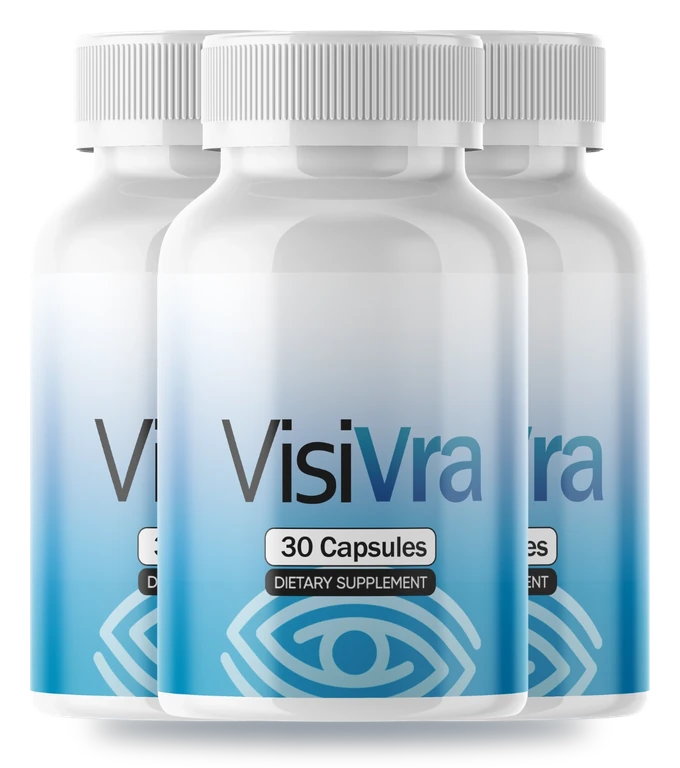
Visivra is a capsule positioned by the brand as Advanced Vision Support for everyday eye comfort and visual clarity. As stated by the brand, it features lutein, zeaxanthin, bilberry extract, astaxanthin, zinc and vitamin A, and each bottle contains 30 capsules. Follow the serving directions on the label. The complete Supplement Facts panel is printed on the bottle label, and customer support can share details.
Curious about the formula? Visit the ingredients page, then see today's price on the order page when you are ready to pick a pack. The brand includes a 60-day money-back guarantee, with refund requests handled by customer support.
Want to compare dietary products more generally? The NIH Office of Dietary Supplements consumer guide is a good place to browse.